Data Engineering / Analytics · Case Study
CRM and ERP Sales Data Warehouse
I took six CRM and ERP files that don’t agree on customer keys and built one tested Bronze → Silver → Gold reporting model in SQL Server.
Portfolio project · SQL Server · Completed · Updated
At a glance
- Question
- Six CRM and ERP files use different keys and formats. How do they become one reporting model that agrees with itself?
- Data
- Six CRM and ERP CSV files from the project repository Practice data



6 → 1
Source files → reporting model
6 CRM and ERP CSVs, 1 star schema
3
Gold tables
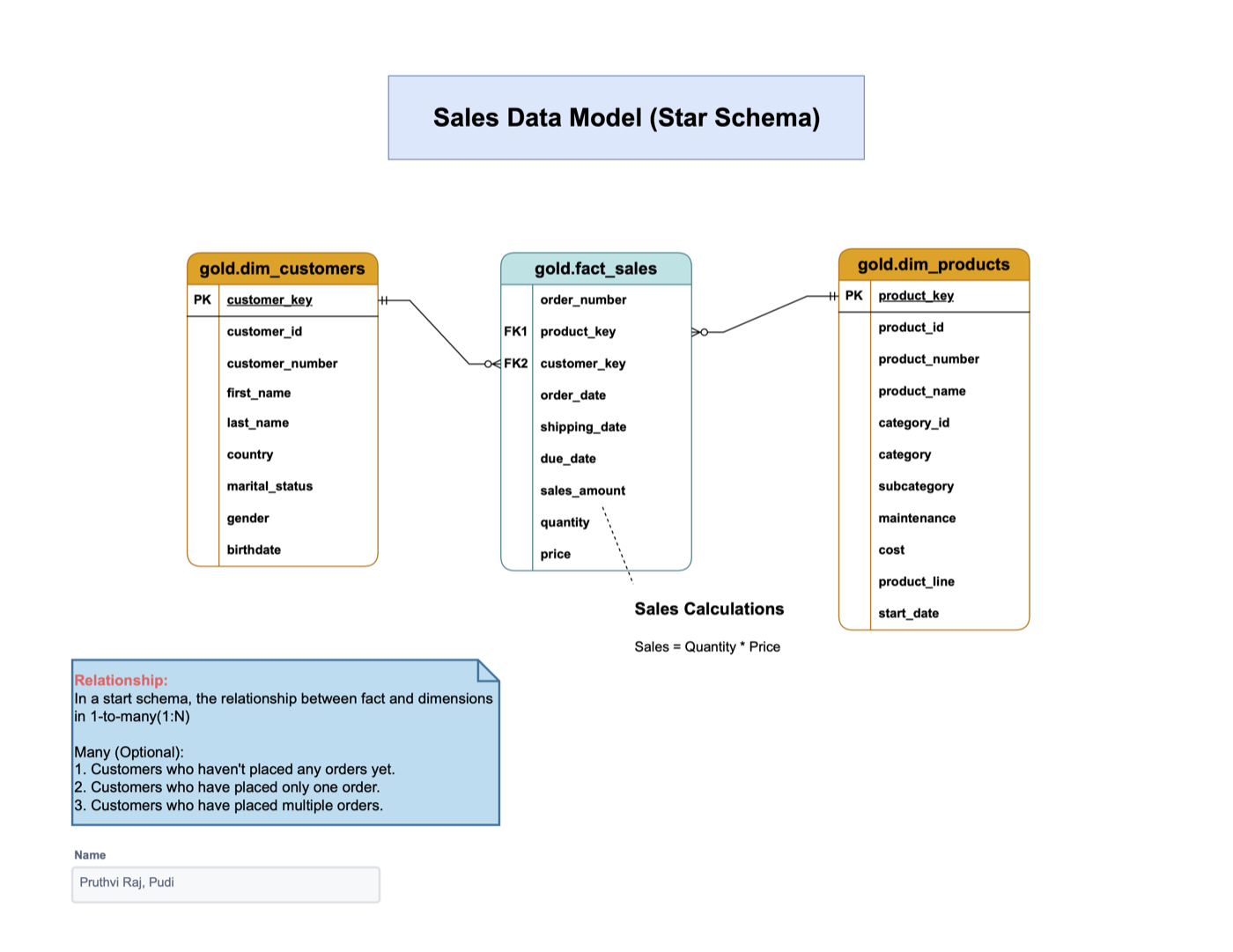
fact_sales, dim_customers, dim_products
The problem
The CRM and ERP files describe the same customers and products with different identifiers and formats. Before any report can be trusted, they have to agree. This project works out how to reconcile them into one set of reporting tables.
The data
Six CRM and ERP CSV files from the linked project repository. It’s a portfolio build, not a production deployment at Amazon or Accenture.
What I built
The warehouse layers in T-SQL: source loading, cleaning procedures, reporting views and data-quality queries. The repository has the full implementation.
How it works
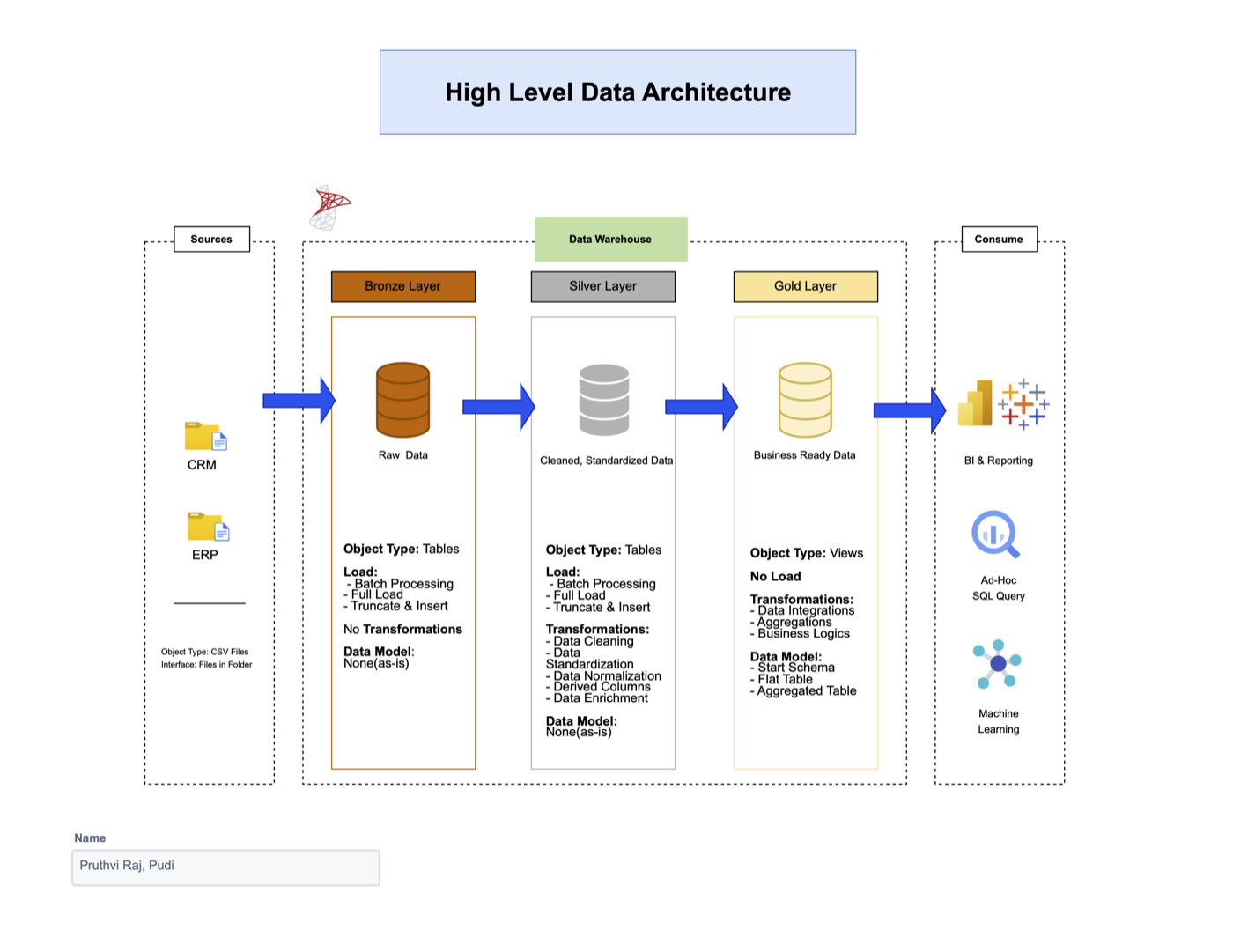
- Bronze: the six raw CSV files load as they are, with BULK INSERT.
- Silver: dates and types are standardized, nulls and duplicates handled, and customer identifiers reconciled.
- Gold: fact_sales, dim_customers and dim_products, exposed as a star schema.
How I checked it
- Duplicate keys, orphaned foreign keys and joins that don’t match.
- Sales amount against quantity × price, and ship dates against order dates.
- Dates validated, and records reconciled between the two source systems.
What I found
Getting the Silver layer right took longer than building the Bronze and Gold layers combined. The CRM and ERP tables used different identifiers for the same customers, and every join depended on matching them first. Once that logic lives in one place, the star schema makes it explicit and reusable. The quality checks were also more useful than I expected: running them while I built helped me catch modeling decisions I’d made too quickly.
What it doesn’t show
I’m not claiming measured time savings or production reliability. The keys generated with ROW_NUMBER need care across reloads, and incremental loads, stable key storage and orchestration are still to do.
If I did it again
I’d move the transformations into dbt, with versioned tests and documentation, then show repeatable orchestration and recovery from a failed run.
What I’d recommend
I’d make customer-key matching one clearly owned step in the Silver layer, and store the generated keys so a reload keeps the same IDs.
Figures